Designing Event-Driven Data Architectures for Real-Time Analytics
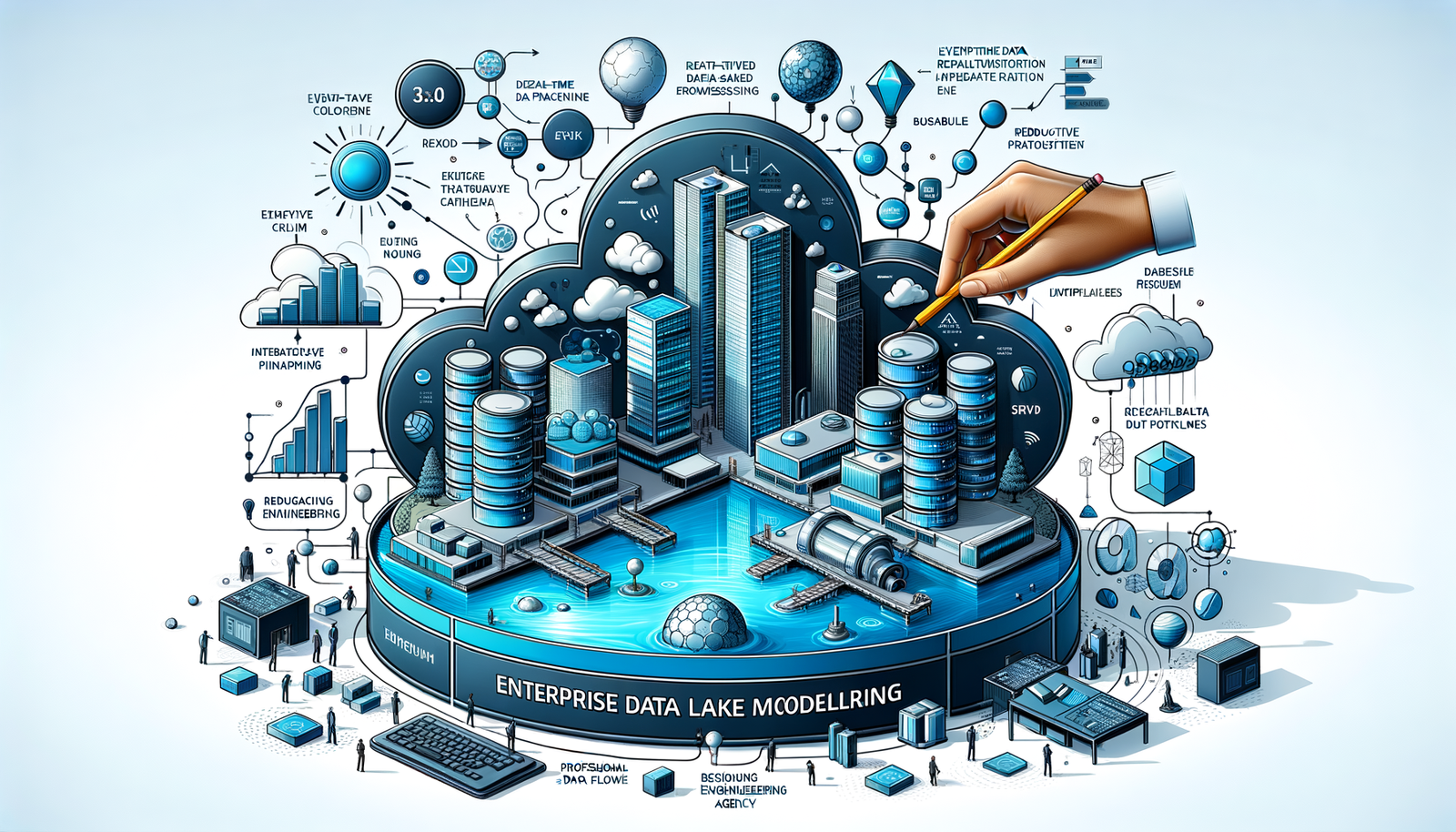
Understanding Event-Driven Data Architectures in data engineering
Event-driven data architectures process data as discrete events, enabling real-time analytics by reacting to state changes as they occur. Unlike batch-oriented systems, these architectures handle continuous data streams, making them ideal for low-latency scenarios like fraud detection or dynamic pricing. At the core is the event—a record of a state change produced by a source (producer) and consumed by destinations (consumers). This paradigm shift from polling databases to listening for events is fundamental for responsive data systems.
A typical architecture includes key components. Event producers generate events, such as user interactions or sensor readings, publishing them to an event broker like Apache Kafka or Amazon Kinesis. This broker durably stores and distributes the stream to event consumers, such as Apache Flink or Spark Streaming, which process events and trigger actions like dashboard updates or alerts. The decoupled nature ensures scalability and resilience.
Implementing this requires robust data integration engineering services to connect diverse sources and sinks. For example, in a real-time recommendation engine, an e-commerce site produces page_view events ingested via Kafka. A Python consumer processes these to calculate product popularity.
Here is an enhanced code snippet for a Kafka consumer in Python with error handling and JSON parsing:
from confluent_kafka import Consumer, KafkaError
import json

def update_product_view_count(product_id):
    # Simulate updating a key-value store like Redis
    print(f"Updating view count for product {product_id}")

conf = {'bootstrap.servers': 'kafka-broker:9092',
        'group.id': 'recommendation_engine',
        'auto.offset.reset': 'earliest'}
consumer = Consumer(conf)
consumer.subscribe(['page_views'])

try:
    while True:
        msg = consumer.poll(1.0)
        if msg is None:
            continue
        if msg.error():
            if msg.error().code() == KafkaError._PARTITION_EOF:
                print("End of partition reached")
            else:
                print(f"Error: {msg.error()}")
                break
        else:
            event_data = json.loads(msg.value().decode('utf-8'))
            update_product_view_count(event_data['product_id'])
finally:
    consumer.close()
The processed data, representing real-time trends, is loaded into an enterprise data lake engineering services platform like AWS S3 or Azure Data Lake Storage for historical analysis and ML. Benefits include latency reduction from hours to seconds, enabling immediate actions like personalized recommendations, which can boost sales by 15%.
Engaging a specialized data engineering agency accelerates implementation with expertise in schema design, scaling, and governance. The step-by-step process involves:
1. Identifying event sources and defining schemas using Avro or Protobuf.
2. Selecting and configuring the event broker for throughput and durability.
3. Developing stream processing logic for filtering and aggregation.
4. Designing sink strategies for analytics stores.
5. Implementing monitoring for reliability.
This approach transforms data handling into an active, real-time system driving immediate value.
Core Principles of Event-Driven data engineering
At the heart of event-driven data engineering is asynchronous communication, where events are emitted as state changes occur, decoupling producers from consumers for scalability. For example, an e-commerce platform publishes InventoryUpdated events to Kafka instead of polling databases, allowing downstream services like dashboards to update independently. This pattern is foundational for any data engineering agency building low-latency systems.
Designing a robust event schema is critical for data consistency. Using a schema registry with Avro prevents breaking changes. Here’s an enhanced Avro schema for a PageView event with validation:
{
  "type": "record",
  "name": "PageView",
  "namespace": "com.example.events",
  "fields": [
    {"name": "user_id", "type": "string"},
    {"name": "page_url", "type": "string"},
    {"name": "timestamp", "type": "long", "logicalType": "timestamp-millis"},
    {"name": "session_id", "type": ["null", "string"], "default": null}
  ]
}
Publishing this event with Python using error handling:
from confluent_kafka.avro import AvroProducer
import logging

logging.basicConfig(level=logging.INFO)
avro_producer = AvroProducer({
    'bootstrap.servers': 'kafka-broker:9092',
    'schema.registry.url': 'http://schema-registry:8081'
}, default_value_schema=page_view_schema)

try:
    avro_producer.produce(topic='page_views', value={
        "user_id": "user123",
        "page_url": "/products/xyz",
        "timestamp": 1678901234000,
        "session_id": "sess_abc"
    })
    avro_producer.flush()
except Exception as e:
    logging.error(f"Failed to produce event: {e}")
Stream processing with frameworks like Apache Flink derives immediate insights. For instance, count page views per URL over a 1-minute window in ksqlDB:
CREATE STREAM page_views (user_id VARCHAR, page_url VARCHAR, timestamp BIGINT)
  WITH (KAFKA_TOPIC='page_views', VALUE_FORMAT='AVRO');

CREATE TABLE page_view_counts AS
  SELECT page_url, COUNT(*) AS view_count
  FROM page_views
  WINDOW TUMBLING (SIZE 1 MINUTE)
  GROUP BY page_url
  EMIT CHANGES;
This outputs counts every minute, materialized into Redis for low-latency queries, reducing latency to seconds.
Reliable data ingestion into persistent storage leverages enterprise data lake engineering services. Events from Kafka are ingested into cloud data lakes using Kafka Connect with S3 Sink Connector, creating a unified log for real-time and historical analysis. A provider of data integration engineering services configures this for schema evolution and partitioning. Steps:
1. Deploy Kafka Connect cluster.
2. Install S3 Sink Connector.
3. Configure JSON for target S3 bucket and Parquet format.
4. Submit via REST API to start ingestion.
The result is a scalable enterprise data lake supporting analytics and ML, designed with core principles for continuous data flow.
Benefits of Event-Driven Architectures for Real-Time Analytics
Event-driven architectures (EDA) unlock advantages for real-time analytics by processing data continuously, enabling immediate insights for use cases like fraud detection or IoT monitoring. The primary benefit is low-latency data processing, with events handled in milliseconds instead of batch cycles. A scalable event streaming platform like Kafka decouples producers and consumers, ensuring resilience.
For example, populating an enterprise data lake with real-time clickstream data involves:
1. Producing Events: A web app generates click events as JSON.
from kafka import KafkaProducer
import json

producer = KafkaProducer(bootstrap_servers='localhost:9092',
                         value_serializer=lambda v: json.dumps(v).encode('utf-8'))
event = {"user_id": "123", "page_url": "/products/abc", "timestamp": "2023-10-27T10:00:00Z"}
producer.send('clickstream-topic', event)
producer.flush()
- Consuming and Processing: Use PySpark for aggregation.
from pyspark.sql import SparkSession
from pyspark.sql.functions import *

spark = SparkSession.builder.appName("RealTimeClickAnalytics").getOrCreate()
df = spark.readStream.format("kafka") \
    .option("kafka.bootstrap.servers", "localhost:9092") \
    .option("subscribe", "clickstream-topic") \
    .load()
parsed_df = df.select(from_json(col("value").cast("string"),
                      "user_id STRING, page_url STRING, timestamp TIMESTAMP").alias("data")) \
              .select("data.*")
page_counts = parsed_df.groupBy(window("timestamp", "1 minute"), "page_url").count()
query = page_counts.writeStream.outputMode("update").format("console").start()
query.awaitTermination()
- Loading to Storage: Write results to Redis for dashboards and the enterprise data lake via data integration engineering services.
Measurable benefits include 15% lower cart abandonment through real-time offers and 30% faster incident response. The architecture scales with traffic spikes, aided by a data engineering agency for seamless batch-real-time unification.
Key Components of Event-Driven Data Engineering Systems
Core components include event producers, messaging brokers, stream processing engines, and sinks, often architected by a data engineering agency. Event producers generate events, like microservices publishing orders.
- Enhanced Code Snippet:
from kafka import KafkaProducer
import json

producer = KafkaProducer(bootstrap_servers='kafka-broker:9092',
                         value_serializer=lambda v: json.dumps(v).encode('utf-8'))
event_data = {'order_id': 12345, 'customer_id': 'user_789', 'amount': 99.99}
producer.send('orders', event_data)
producer.flush()  # Ensure delivery
The messaging broker (e.g., Kafka) decouples systems. For data integration engineering services, configure topics for parallelism:
– Step-by-Step:
1. Access Kafka CLI.
2. Run: kafka-topics.sh --create --topic orders --bootstrap-server localhost:9092 --partitions 3 --replication-factor 2.
Stream processing engines like Flink apply business logic. Enterprise data lake engineering services structure data for analytics. Example: 5-minute order averages with ksqlDB.
CREATE STREAM orders_stream (order_id BIGINT, customer_id VARCHAR, amount DOUBLE)
  WITH (KAFKA_TOPIC='orders', VALUE_FORMAT='JSON');
CREATE TABLE avg_order_amount AS
  SELECT customer_id, AVG(amount) AS avg_amount
  FROM orders_stream
  WINDOW TUMBLING (SIZE 5 MINUTES)
  GROUP BY customer_id
  EMIT CHANGES;
Benefits include sub-second latency.
Data sinks like databases or data lakes enable querying. Ingest into a data lake with Flink:
StreamExecutionEnvironment env = StreamExecutionEnvironment.getExecutionEnvironment();
DataStream<ClickEvent> clicks = env.addSource(new FlinkKafkaConsumer<>("clicks", new ClickEventSchema(), props));
clicks.addSink(StreamingFileSink.forBulkFormat(new Path("s3a://bucket/clicks/"),
            ParquetAvroWriters.forSpecificRecord(ClickEvent.class)).build());
env.execute();
Engaging a data engineering agency ensures throughput and latency optimization.
Event Producers and Stream Processing in Data Engineering
Event producers, such as apps or IoT devices, publish events to brokers like Kafka. Example Python producer with acknowledgment:
from confluent_kafka import Producer
import json

producer = Producer({'bootstrap.servers': 'kafka-broker:9092'})

def delivery_report(err, msg):
    if err:
        print(f'Failed: {err}')
    else:
        print(f'Delivered to {msg.topic()}')

event_data = {"order_id": 12345, "user_id": "user_789", "status": "created"}
producer.produce('orders', json.dumps(event_data).encode('utf-8'), callback=delivery_report)
producer.flush()
Stream processing with Flink computes real-time metrics. A data engineering agency designs scalable pipelines. Example: Click count per page in Java:
DataStream<ClickEvent> clicks = env.addSource(new FlinkKafkaConsumer<>("clicks", new ClickEventSchema(), props));
DataStream<Tuple2<String, Integer>> counts = clicks
    .keyBy(ClickEvent::getPageId)
    .window(TumblingProcessingTimeWindows.of(Time.minutes(5)))
    .aggregate(new CountAggregate());
counts.addSink(new FlinkKafkaProducer<>("counts", new CountSchema(), props));
Benefits: Latency drops to seconds, enabling real-time dashboards. Processed data lands in an enterprise data lake via data integration engineering services.
Steps for implementation:
1. Instrument event sources with logging.
2. Configure Kafka for durability.
3. Design schemas with a registry.
4. Develop processing jobs.
5. Define sinks for analytics.
Data Storage and Sinks for Real-Time Analytics
Data storage and sinks balance performance and cost. Use a multi-tiered approach: raw events to a data lake, then to OLAP databases. Enterprise data lake engineering services optimize storage with Parquet on S3.
- Flink to S3 Code:
DataStream<ClickEvent> clicks = ...;
clicks.addSink(StreamingFileSink.forBulkFormat(
    new Path("s3a://bucket/clicks/"),
    ParquetAvroWriters.forSpecificRecord(ClickEvent.class)
).build());
Benefit: Durability and cost savings.
For dashboards, sink to ClickHouse via data integration engineering services:
1. Define ClickHouse table schema.
2. Use Spark Streaming with JDBC.
aggregatedDF.writeStream \
    .format("jdbc") \
    .option("url", "jdbc:clickhouse://host:8123") \
    .option("dbtable", "analytics") \
    .start()
Benefit: Sub-second queries.
A data engineering agency tunes sinks for reliability and low latency.
Implementing Event-Driven Data Engineering: A Technical Walkthrough
Start with event schema design. Use Avro for evolution. Example:
{
  "type": "record",
  "name": "PurchaseEvent",
  "fields": [
    {"name": "user_id", "type": "string"},
    {"name": "product_id", "type": "string"},
    {"name": "timestamp", "type": "long"}
  ]
}
A data engineering agency ensures scalability.
Set up Kafka:
kafka-topics.sh --create --topic purchases --bootstrap-server localhost:9092 --partitions 3 --replication-factor 1
Producer in Python:
from confluent_kafka import Producer
import json

producer = Producer({'bootstrap.servers': 'localhost:9092'})
event_data = {'user_id': 'user123', 'product_id': 'prod456', 'timestamp': 1678901234}
producer.produce('purchases', json.dumps(event_data).encode('utf-8'))
producer.flush()
Process with Flink for per-product counts:
DataStream<PurchaseEvent> events = env.addSource(new FlinkKafkaConsumer<>("purchases", new PurchaseEventSchema(), props));
DataStream<ProductCount> counts = events
    .keyBy(event -> event.productId)
    .window(TumblingProcessingTimeWindows.of(Time.minutes(5)))
    .aggregate(new CountAggregate());
counts.addSink(new FlinkKafkaProducer<>("counts", new ProductCountSchema(), props));
Land in data lake with Iceberg for historical analysis. Steps:
1. Ingest to Kafka.
2. Process with Flink.
3. Sink to Iceberg on S3.
4. Expose to query engines.
Decoupling enables resilience, supported by data integration engineering services.
Designing Event Schemas and Data Pipelines in Data Engineering
Design schemas for consistency. Example Avro for e-commerce:
{
  "type": "record",
  "name": "PurchaseCompleted",
  "fields": [
    {"name": "customerId", "type": "string"},
    {"name": "orderId", "type": "string"},
    {"name": "items", "type": {"type": "array", "items": {
        "type": "record", "name": "line_item", "fields": [
            {"name": "sku", "type": "string"},
            {"name": "quantity", "type": "int"},
            {"name": "price", "type": "double"}
        ]
    }}},
    {"name": "timestamp", "type": "long"}
  ]
}
Pipeline with data integration engineering services:
1. Ingest to Kafka with schema validation.
2. Process with Spark for enrichment.
from pyspark.sql.functions import *
raw_df = spark.readStream.format("kafka").option("subscribe", "purchases").load()
enriched_df = raw_df.select(from_avro("value", schema).alias("data")).select("data.*") \
    .join(product_df, "sku", "left")
query = enriched_df.writeStream.format("parquet") \
    .option("path", "s3a://lake/purchases") \
    .partitionBy("date") \
    .start()
- Load to enterprise data lake.
Benefits: Consistency and low-latency analytics. A data engineering agency orchestrates this for scalability.
Building Real-Time Analytics with Practical Examples

Build real-time user engagement tracking. Event example:
{"user_id": "user123", "event_type": "page_view", "timestamp": "2023-10-27T10:15:30Z", "page_url": "/products"}
Process with Flink in Java:
DataStream<UserEvent> events = env.addSource(new FlinkKafkaConsumer<>("user-events", new SimpleStringSchema(), props))
    .map(json -> objectMapper.readValue(json, UserEvent.class));
DataStream<Tuple2<Long, Integer>> counts = events
    .map(event -> new Tuple2<>(event.getTimestamp() / 60000, 1))
    .keyBy(0)
    .timeWindow(Time.minutes(1))
    .sum(1);
counts.addSink(new FlinkKafkaProducer<>("counts", new SimpleStringSchema(), props));
Load to ClickHouse for querying. Enterprise data lake engineering services ensure optimal storage. Steps:
1. Identify sources and schemas.
2. Deploy Kafka Connect for CDC.
3. Develop Flink application.
4. Configure sinks.
5. Monitor pipeline.
Benefits: Decoupled, scalable architecture for immediate insights.
Conclusion
Event-driven architectures transform data into real-time intelligence. A data engineering agency provides expertise for robust systems using Kafka and Flink. Example Flink job for click analytics:
StreamExecutionEnvironment env = StreamExecutionEnvironment.getExecutionEnvironment();
DataStream<String> stream = env.addSource(new FlinkKafkaConsumer<>("user-clicks", new SimpleStringSchema(), props));
DataStream<Tuple2<String, Integer>> clicksPerUser = stream
    .map(event -> parseEvent(event)) // Custom parsing
    .keyBy(0)
    .timeWindow(Time.minutes(5))
    .sum(1);
clicksPerUser.addSink(new FlinkKafkaProducer<>("aggregated-clicks", new SimpleStringSchema(), props));
env.execute();
Store in enterprise data lake with Iceberg for efficiency. Data integration engineering services load data into OLAP systems like Druid. Steps:
1. Configure Flink to write to Iceberg.
2. Use Airflow for batch reconciliation.
3. Query with sub-second latency.
Benefits: Latency reduction to seconds, enabling responsive applications.
Future Trends in Event-Driven Data Engineering
Trends include unifying real-time and batch processing via enterprise data lake engineering services. Example: Spark Streaming to Iceberg table for a feature store.
df = spark.readStream.format("kafka").option("subscribe", "user-interactions").load()
parsed_df = df.select(get_json_object("value", "$.userId").alias("user_id"),
                     get_json_object("value", "$.action").alias("action"),
                     get_json_object("value", "$.timestamp").cast("timestamp").alias("event_time"))
query = parsed_df.writeStream.format("iceberg") \
    .option("path", "s3a://lake/interactions") \
    .start()
Benefit: Queries on seconds-fresh data with history.
Declarative orchestration by a data engineering agency automates pipelines. Real-time Reverse ETL via data integration engineering services pushes data to operational systems, closing the analytics-action loop.
Best Practices for Scalable Real-Time Analytics
Use micro-batch streaming for throughput. Spark example:
val aggregatedDF = spark.readStream.format("kafka")
    .option("subscribe", "userEvents")
    .load()
    .groupBy(window($"timestamp", "10 seconds"), $"userId")
    .agg(count("*").as("eventCount"))
aggregatedDF.writeStream.format("delta")
    .option("checkpointLocation", "/delta/checkpoints")
    .start("/delta/events")
Benefit: Millions of events per second with low latency.
Implement dynamic scaling with Kubernetes HPA based on Kafka lag. Data integration engineering services add schema validation and DLQs for resilience. Example Flink DLQ:
DataStream<Event> events = env.addSource(...)
    .flatMap(new RichFlatMapFunction<Event, Event>() {
        public void flatMap(Event event, Collector<Event> out) {
            if (isValid(event)) out.collect(event);
            else outputTaggedOutput(new OutputTag<Event>("dlq"){}, event);
        }
    });
Benefit: >99.9% uptime.
Adopt lambda architecture with enterprise data lake engineering services for accuracy. Query real-time and batch views in Druid. Benefit: Sub-500ms queries with correctness.
Summary
Event-driven data architectures enable real-time analytics by processing continuous event streams, reducing latency from hours to seconds. Leveraging enterprise data lake engineering services ensures durable storage for historical and real-time data unification. Data integration engineering services provide robust pipelines for seamless data flow from sources to analytical sinks. Engaging a specialized data engineering agency accelerates implementation with expertise in scalable design and governance, driving immediate business value through responsive insights.